OMR reading for Korean middle and high schools · NEIS grade upload software
From OMR reading to NEIS grade upload, released free of charge for schools
Until now, schools had to buy scanners and OMR cards from designated vendors in order to use reading software, and the narrow choice of equipment came with a considerable cost. 4th NEIS OMR is released as an educational donation so that schools can choose the equipment that suits their needs.
Any TWAIN-compatible scanner can be used as soon as it is connected, and the OMR cards a school already uses can be read once their layout is registered. Reading results are saved as files that can be uploaded directly to NEIS.
Free of charge for schools as well as for suppliers of scanners and OMR cards.
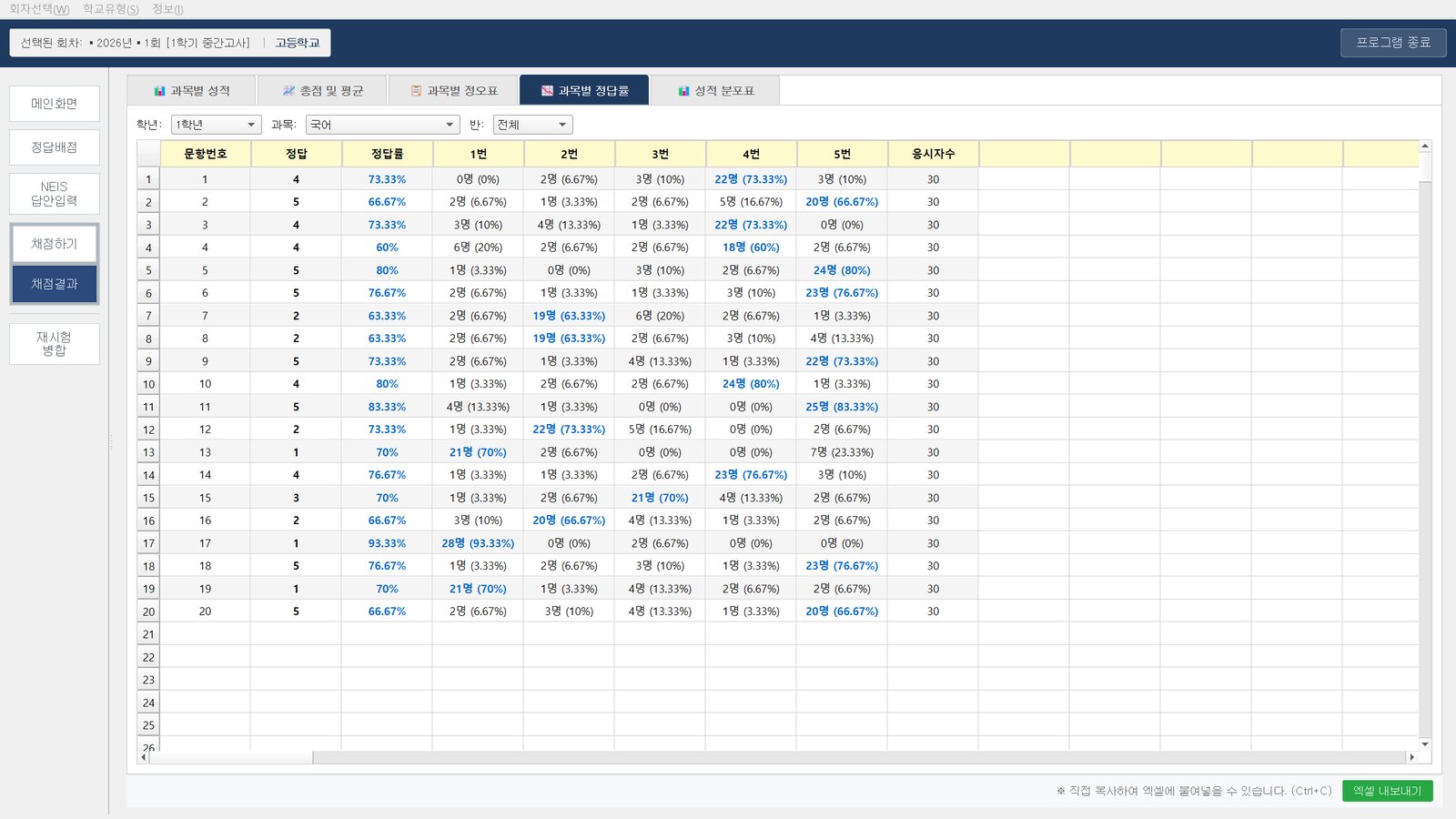
OptionalGrading when neededNEIS OMR Grading Program
OMR
4th NEIS OMROMR answer sheet reader
Latest versionv1.0.3
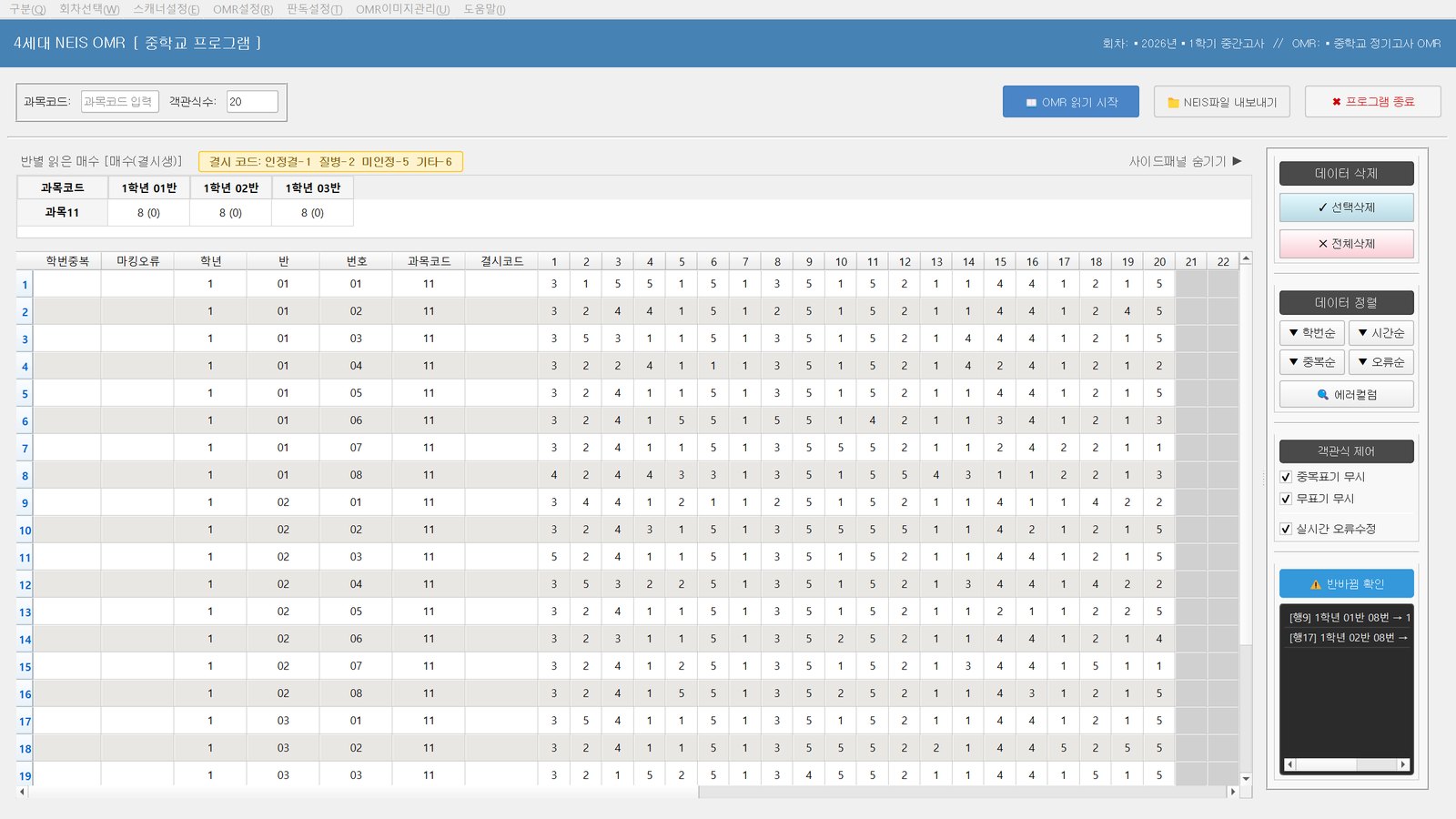
Reads OMR answer sheets with a TWAIN scanner and organizes the answers by student. Load the OMR card you use and set the marking bubble positions yourself.
No installation needed — run it directly from the extracted folder.
01.
Download
Get the ZIP file with [Download latest version].
02.
Extract
Extract it to any folder, such as the desktop.
03.
Run
Run NEIS OMR.exe or NEIS 채점 시스템.exe in the folder.
OSWindows 10 · 11
ScannerTWAIN standard
OMR cardAny
ForAny
03 · FAQ
FAQ
The questions schools ask most often before adopting the programs.
QWhich scanners can be used?
Any TWAIN-compatible scanner can be used. We recommend Canon, Avision and Epson models.
QCan we keep using our current OMR cards?
Yes. Load the OMR card you use and set the marking bubble positions, and it can be read as it is.
QCan anti-cheating OMR cards be read?
Anti-cheating OMR cards with colored marking bubbles can be used, but they are not recommended because the background color may be recognized as a mark.
QCan it be used on a computer without internet access?
Yes. It works without an internet connection.
QIs installation required?
No. Extract the downloaded ZIP file and run the program in the folder.
QHow are results uploaded to NEIS?
4th NEIS OMR exports reading results as an upload file (CSV) that can be uploaded directly to NEIS. If grading is needed, the NEIS OMR Grading Program can be used as well.
QCan suppliers of scanners or OMR cards use it?
Yes. Schools as well as suppliers of scanners and OMR cards may use it free of charge.
04 · RELEASE NOTES
Release notes
AddedImprovedFixed
v2.1.0 Latest
NEIS OMR Grading Program
2026.11.22
Added2.1.0
v1.0.3 Latest
4th NEIS OMR
2026.11.22
Added1.0.3버전
05 · PRINCIPLES
Principles
4th NEIS OMR is distributed and operated under the following three principles.
01.
Released as an educational donation
4th NEIS OMR and the NEIS OMR Grading Program are released as an educational donation. Schools, as well as suppliers of scanners and OMR cards, may use them without any fee.
02.
Freedom to choose equipment
The reading software is not tied to any particular scanner or OMR card. Any TWAIN-compatible scanner and the OMR cards a school already uses can be used as they are, so schools can choose equipment that fits their budget and purpose.
03.
Student data stays at school
Reading and grading data are stored only in the program folder on the school computer and are never sent to an external server. Student grade information remains under the school's management.